Free HVAC Proposal Template
For system replacements and bigger jobs: overview, scope of work, three priced options, timeline, terms and a signature block, with the prices built from your cost.
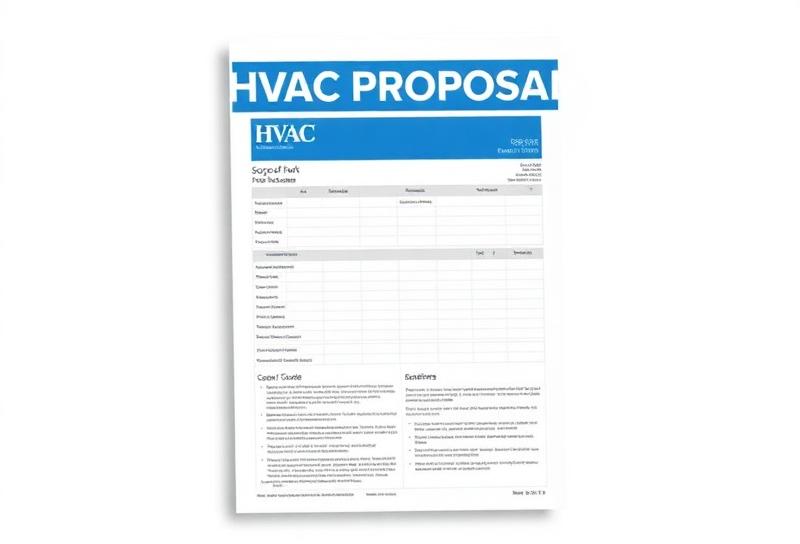
An HVAC Proposal Template for Jobs That Need More Than a Price
On a full system replacement the homeowner is often comparing you with other contractors, days after your visit. A one-line price doesn't tell them why yours is different. A proposal does: what you saw at their house, what you'll do, three clear options, when it will happen and what they're agreeing to. This template gives you that structure on one printable tab, with the three prices calculated from your cost on another.
The pricing works like the good, better, best template: costs and hours in, prices and margins out. What this one adds is the writing around it, a project overview with blanks to personalize, a scope of work, a timeline and an acceptance block.
The file is free and downloads straight away, no email needed. Before you write your first one, read how to write an HVAC proposal that gets signed.
What's in the HVAC Proposal Template
Four tabs. Amber cells are inputs; the rest is protected.
Start Here
Four steps: Settings, build the options, write the proposal, send as PDF and follow up on day 2, 4 and 7.
Settings
Company block and license number, billable rate and labor cost, sales tax, markups by category, the deposit share and validity days that print in the terms, and the labor warranty years.
Options
Customer, quote number, date and valid-until. Seven feature rows per tier (system, thermostat, air quality, installation, parts warranty, maintenance, emergency service). Your costs per tier, then each tier's price built from them with tax, your cost, gross margin and the average sale across the share who pick each option.
Proposal
The customer document: your header, prepared for, quote number and dates, a project overview, a six-point scope of work, the three options with prices and Better marked recommended, a timeline (permit, installation, final inspection, approval to completion), terms, and an option chosen, signature and date block.
How to Fill In the HVAC Proposal Template
- 1
Fill in Settings once
Company details, rate, labor cost, tax, markups, deposit and validity. The deposit and validity print in the proposal terms.
- 2
Build the three options
On Options, write the seven feature rows for each tier, then enter equipment cost, materials cost, labor hours and permits or other costs per tier. Prices and margins calculate.
- 3
Write the project overview
Replace the brackets in the overview: the date of your visit, the age of the existing system, what it is and the square footage it serves. Mention what the homeowner told you they cared about.
- 4
Check the scope and timeline
The scope covers removal, installation of the chosen option, line set, disconnect and drain, permits and inspections, startup and walkthrough, and haul-away. The timeline gives 3-5 days for a permit, one installation day and 7-10 days from approval to completion. Unprotect the tab if your job differs.
- 5
Review the margins
Before you print, look at each tier's gross margin on Options. The customer never sees it; you should.
- 6
Save as PDF and send
Save the Proposal tab as a PDF. Never send the workbook.
- 7
Follow up
Day 2, day 4 and day 7, as the Start Here tab suggests. A short check-in each time: did they get it, any questions, which option are they leaning toward.
Worked Example: Pricing the Recommended Option
Example only, with round costs for a heat pump replacement in place of the file's sample costs, and the starting Settings: 40% equipment, 35% materials, 15% other, $125 an hour billable, $87 cost, 7% tax. Better tier: $4,000 equipment, $600 materials, 12 hours, $300 permits and disposal.
Your cost on Better is $4,000 + $600 + 12 hours at $87 ($1,044) + $300 = $5,944. Gross margin is $8,703.70 less $448.70 tax less $5,944, divided by $8,255: 28.0%, shown as 28%. The terms state the deposit as a percentage (50% to start); the sheet does not work out the amount, which would be $4,351.85 on Better.
The proposal shows only the three prices, never this breakdown. If 28% is too thin for your overhead, raise the markups on Settings. The HVAC markup chart shows what margin each markup level gives.
HVAC Proposal Template FAQ
What's the difference between an HVAC proposal and an estimate?
An estimate lists line items and arrives at one price. A proposal explains the job: what you found, what you'll do, the options, how long it takes and the terms. This template is the proposal kind, with three priced options. For a single line-item price, use the HVAC estimate template.
Can I edit the scope of work and timeline?
The project overview is an input cell you rewrite for every job. The six scope bullets and the four timeline rows are set text on the protected Proposal tab. To change them, use Review › Unprotect Sheet (there is no password), edit, and protect it again.
Does the proposal show the customer line items?
No. Each option shows one price and the seven feature rows you wrote. The cost per tier, the price components and the margins stay on the Options tab.
Should I send the customer the Excel file?
No. The workbook's own instructions are to save the Proposal tab as a PDF and never send an editable file, since the Options tab holds your costs and margins.
When should I follow up on a proposal?
The Start Here tab suggests following up on day 2, day 4 and day 7 after you send it. Put the dates in your calendar when you send the PDF.
Related Guides and Calculators
Rather Do This in an App?
EstimateKit does this in an app, $49 a month for the whole crew, 14-day free trial, no card.
Start Free Trial