Free HVAC Maintenance Agreement Template
Three residential plans that price themselves, annual or monthly billing, a covered equipment schedule, and a commercial tab priced per rooftop unit.
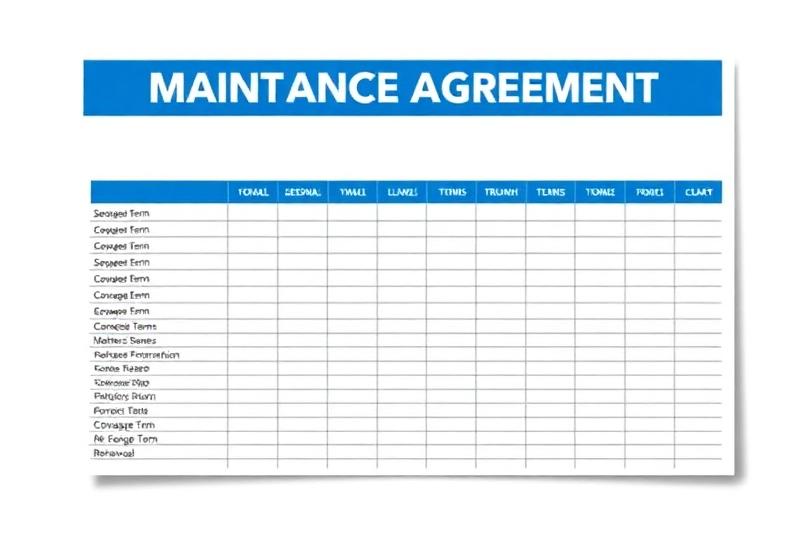
An HVAC Maintenance Agreement Template With Three Plans and a Commercial Tab
Maintenance agreements pay twice: a fixed amount every year, and the first call when something breaks. Most free versions are a page of terms with a blank for the price. This one prices the plan for you. Set up three tiers once, pick one on the agreement, and the price, the monthly amount and the list of what's included fill in. A separate tab prices commercial work per rooftop unit.
The residential Agreement tab is the document the customer signs: your company header, the customer, a covered equipment schedule, the plan, a spring and fall service schedule, eight numbered terms and two signature lines.
It is free and downloads straight away, no email needed. For how to price tiers and what to put in them, read the HVAC maintenance agreement guide.
What's in the HVAC Maintenance Agreement Template
Four tabs. Amber cells are yours to fill in; the white cells are protected formulas.
Start Here
Five steps, including the reminder to have a lawyer review the terms before you use them.
Settings
Company block and license number, plus the three plan tiers: Basic at $199 a year (two tune-ups, priority scheduling, 10% repair discount), Standard at $299 (adds a 15% discount, no trip charges and a one-year labor warranty) and Premium at $499 (20% discount, parts and labor warranty, quarterly filter delivery, four-hour response, annual duct inspection). Edit any of it.
Agreement
Agreement number, start date, an end date one year out, auto-renew Yes or No, customer details, four rows of covered equipment with type dropdowns, plan and billing dropdowns, the calculated price and what's included, a spring and fall service schedule, eight terms (visits, priority, repairs, payment, renewal, cancellation, exclusions, liability) and signatures.
Commercial
Property, address and manager contact; term, visits per year and response time; 12 unit rows with type, tons, per-unit rate, filter changes, filter cost and coil cleaning; annual total, monthly equivalent and unit count; an eight-point scope per visit; commercial terms invoiced net 30 with 60 days' cancellation notice.
How to Fill In the Maintenance Agreement
- 1
Set your three plans
At the bottom of Settings, set the annual price and the details for Basic, Standard and Premium. Price them from what two visits actually cost you, plus the discount you're giving away on repairs.
- 2
Fill in the customer and dates
Agreement number, start date (the end date calculates), auto-renew, customer name, service address and contact.
- 3
List the covered equipment
Location, type, make and model, serial number and install date for each unit. Anything not listed is excluded under clause 7, so be complete.
- 4
Pick the plan and billing
Choose the plan and Annual or Monthly. The annual price, amount due now and what's included fill in.
- 5
Edit the schedule and terms
The spring and fall visit windows, the reminder line and the eight-clause terms are all editable on the Agreement tab.
- 6
For commercial, use the Commercial tab
One row per unit with its own rate, filter changes and coil cleaning. Set the term, visits per year and response time at the top.
- 7
Print for signature
Both tabs are set up to print on letter paper. Print, or save as PDF and get it signed.
Worked Example: One Home, One Rooftop Account
Example only, using the plan prices and commercial rates that come in the file.
On the commercial side, the filter line is the one to check: 12 changes a year at $55 is $660 per unit, nearly as much as the visits. The tab's own note gives $600-1,200 per RTU per year on quarterly visits and $300-500 per small split as typical ranges.
On the residential side, a plan only pays if the visit takes the time you priced. Check the hour behind each tune-up with the HVAC labor rate calculator.
HVAC Maintenance Agreement Template FAQ
Can I use this HVAC maintenance agreement template as is?
Treat it as a starting point. The workbook itself says it is not legal advice and that consumer protection rules vary by state, especially around automatic renewal and cancellation. Have a lawyer read the terms before your first customer signs.
How does monthly billing work in the template?
Pick Monthly in the Billing dropdown and the amount due becomes the annual price divided by 12, labelled per month, auto-pay. The workbook only states the amount; collecting the card payment each month is up to you.
Can I change the plan prices and what each plan includes?
Yes. The annual price and the details text for Basic, Standard and Premium are input cells at the bottom of the Settings tab. Change them there and the Agreement tab shows the new price and inclusions for whichever plan is selected.
Does the template remind me when an agreement is up for renewal?
No. Auto-renew is a Yes or No field that prints on the agreement, and clause 5 renews the agreement for another year at the then-current price unless either side gives 30 days' written notice. The end date is calculated for you, but tracking renewals across customers is a separate job.
How is the commercial tab priced?
Per unit, per year. Each row adds the per-unit rate for scheduled visits, filter changes times the cost per filter, and coil cleaning. The tab totals every unit, shows the monthly equivalent and counts the units. Repairs are quoted separately.
How much equipment fits on one agreement?
Four pieces on the residential equipment schedule, each with location, type, make and model, serial number and install date. The commercial tab has 12 unit rows.
Related Guides and Calculators
Rather Do This in an App?
EstimateKit does this in an app, $49 a month for the whole crew, 14-day free trial, no card.
Start Free Trial